透過對大量網頁內容的分析和處理,爬蟲技術可以幫助人工智慧系統學習語言模式、用戶行為、市場趨勢等,進而提升其預測準確性、決策能力和個性化服務。
環境需求
1.Ubuntu Server v22.04.4
2.Beautifulsoup4 v4.1.0
3.Selenium v4.1.0
4.Webdriver_manager v3.5.1
5.Mysql v8.0.27
6.Python v3.10.0
7.Chrome v122.0.6261.57
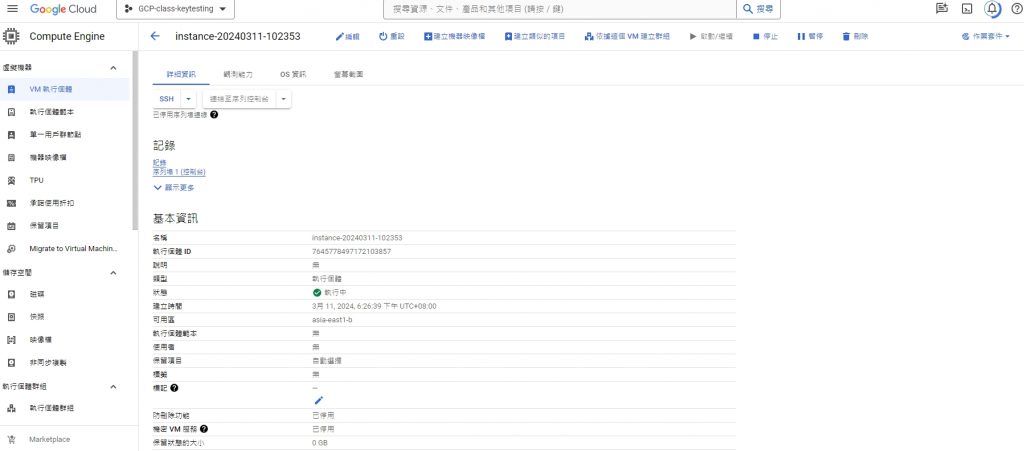
GCP建置規格
名稱 instance-20240311-102353
可用區 asia-east1-b
機器類型 e2-medium
CPU 平台 Intel Broadwell
最低 CPU 平台 無
架構 x86/64
作業系統 Ubuntu
映像檔 ubuntu-2204-jammy-v20240307
功能
1.使用python、Selenium模擬用戶登入行為
2.將貼文資訊數據轉送Mysql,獲取FB粉絲團貼文資訊
3.將貼文資訊數據備份輸出成TXT檔
環境設定安裝
- Beautifulsoup4 安裝:pip3 install beautifulsoup4
- Selenium 安裝:pip3 install selenium
- Webdriver_manager 安裝:pip3 install webdriver_manager
- Webdriver_manager 安裝:pip3 install python3
- Mysql 安裝:sudo apt install mysql-server
爬蟲程式碼(以爬取pythontw粉絲團為例):
- 下載所需套件
from selenium import webdriver
from selenium.webdriver.common.by import By
from selenium.webdriver.chrome.options import Options
from selenium.webdriver.chrome.service import Service
from webdriver_manager.chrome import ChromeDriverManager
from bs4 import BeautifulSoup
import time
- 使用無痕模式登入FB,模擬用戶網頁滾輪以獲取更多文章資訊
FB_ID = "123456XXXXXAA@yahoo.com.tw"
FB_PW = "XXXXX"
fb_groups_URL = "https://www.facebook.com/groups/pythontw"

options = webdriver.ChromeOptions()
options.add_argument("incognito")

service = Service(ChromeDriverManager().install())
driver = webdriver.Chrome(service = service, options = options)
driver.get("https://www.facebook.com")

print("go " + driver.title )

# options = Options()
# options.binary_location = "/usr/bin/google-chrome"

# driver = webdriver.Chrome(options=options)

# service = Service(ChromeDriverManager().install())
# driver = webdriver.Chrome(service=service, options=options)

email = driver.find_element(By.ID, "email")
password = driver.find_element(By.ID, "pass")
login = driver.find_element(By.NAME, "login")

email.send_keys(FB_ID)
password.send_keys(FB_PW)

login.submit()

time.sleep(3)

# Goto website
driver.get(fb_groups_URL)

time.sleep(3)
# Score
# 對頁面做滾動 以獲取更多文章
for x in range(1, 4):
    driver.execute_script("window.scrollTo(0,document.body.scrollHeight)")
    time.sleep(5)

# Get source
soup = BeautifulSoup(driver.page_source, 'html.parser')
titles = soup.findAll("div", {"class":"x1iorvi4 x1pi30zi x1l90r2v x1swvt13"})

# print(soup.prettify())

print("一共:" + str(len(titles)) + " 則文章...")

for title in titles:
    # print(title)
    posts = title.findAll('div', {'dir': 'auto'})

    for post in posts:
        if post:
            print(post.text)

    print("========================================")

# Exit
- 完成爬蟲後,將獲取的titles結果存成txt檔
posts_content = []
for title in titles:
    posts = title.findAll('div', {'dir': 'auto'})
    for post in posts:
        if post:
            posts_content.append(post.text)

with open('FB_posts.txt', 'w', encoding='utf-8') as file:
    for content in posts_content:
        file.write(content + "\n")
        file.write("========================================\n")
- 將資料轉送資料庫
import mysql.connector
from mysql.connector import Error

#連接到 MySQL的python資料庫
db = mysql.connector.connect(
    host="localhost",
    user="admin",
    passwd="123456",
    database="python"
)

cursor = db.cursor()

cursor.execute("CREATE TABLE IF NOT EXISTS FB_posts (id INT AUTO_INCREMENT PRIMARY KEY, content TEXT)")

for content in posts_content:
    sql = "INSERT INTO FB_posts (content) VALUES (%s)"
    val = (content,)
    cursor.execute(sql, val)

db.commit()
db.close()

while True:
    pass
成果截圖:
畫面01-GCP規格
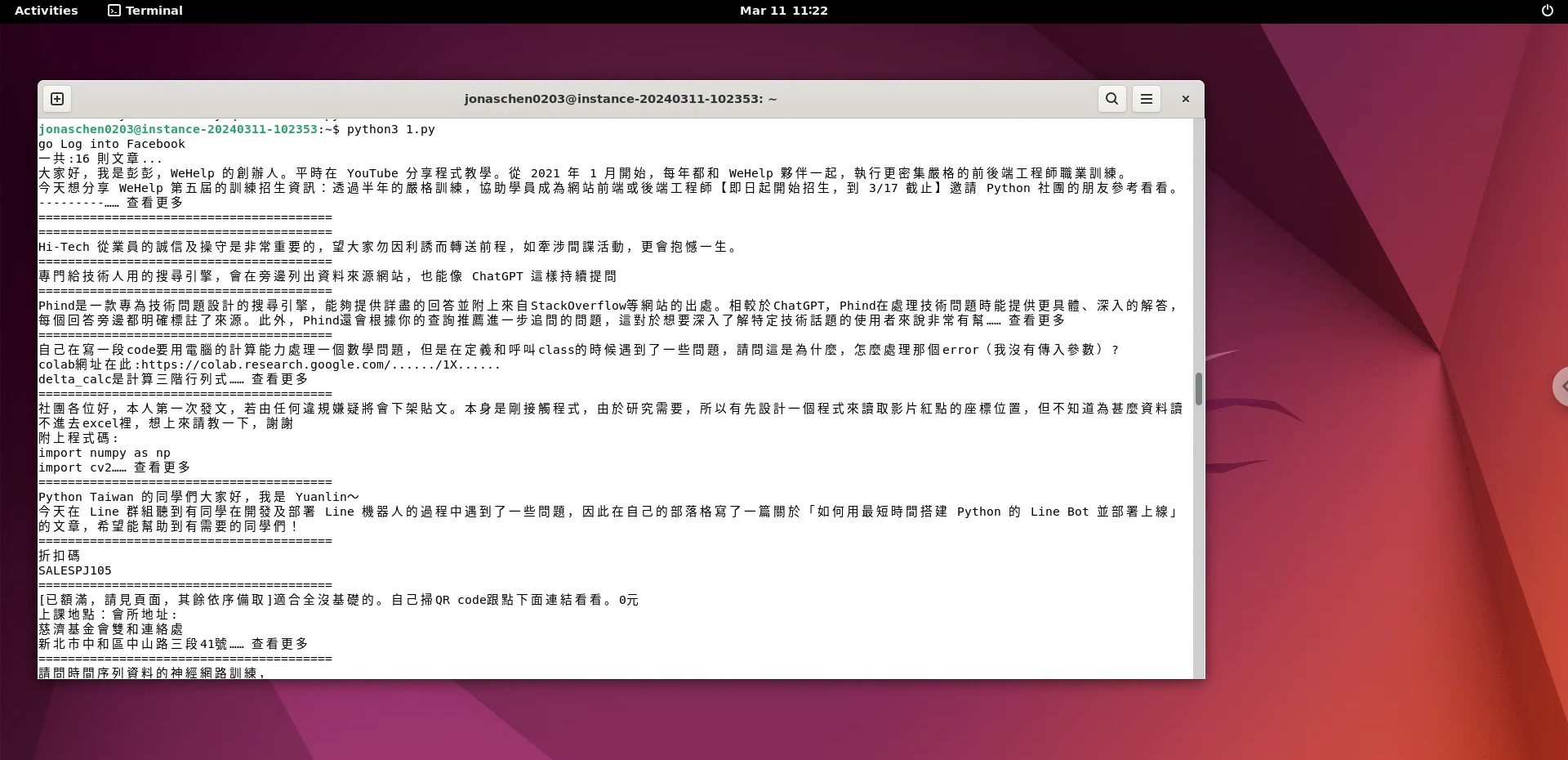
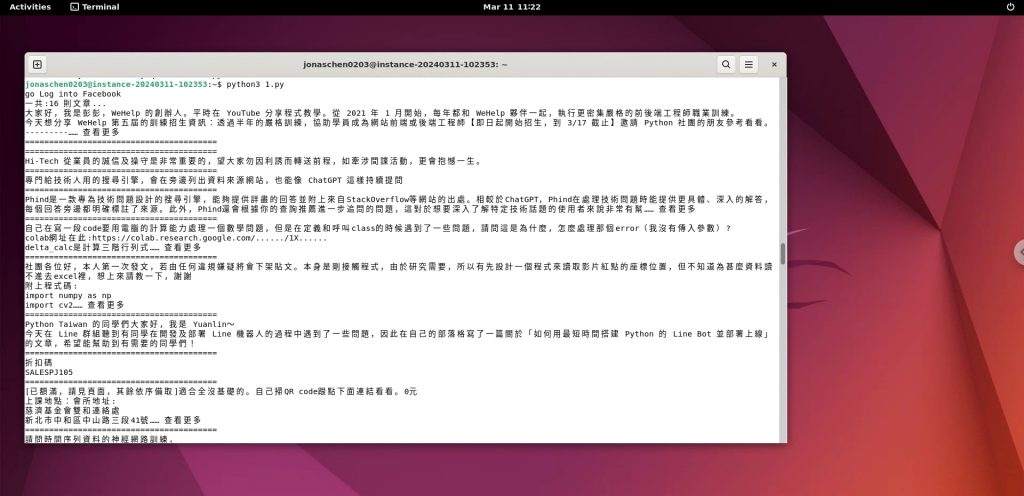
畫面02-PY檔執行情況
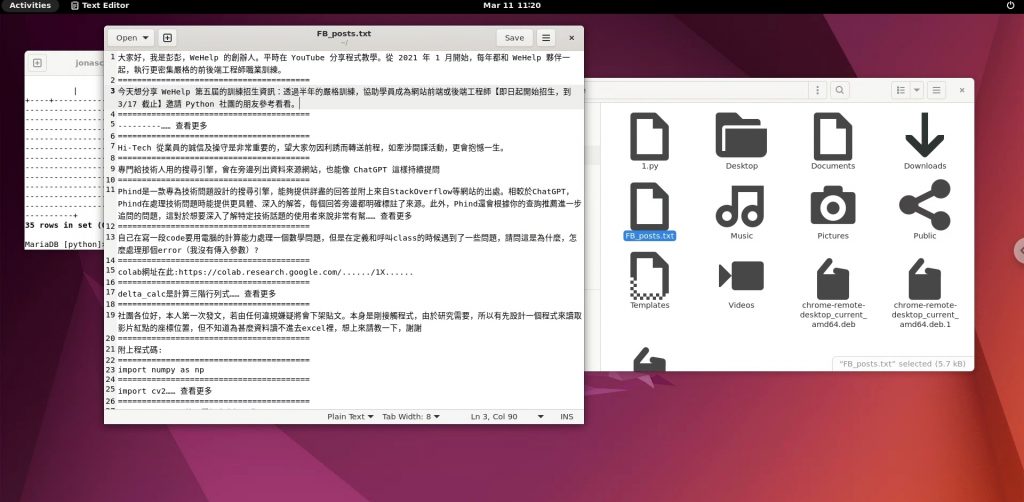
畫面03-貼文資訊輸出TXT檔
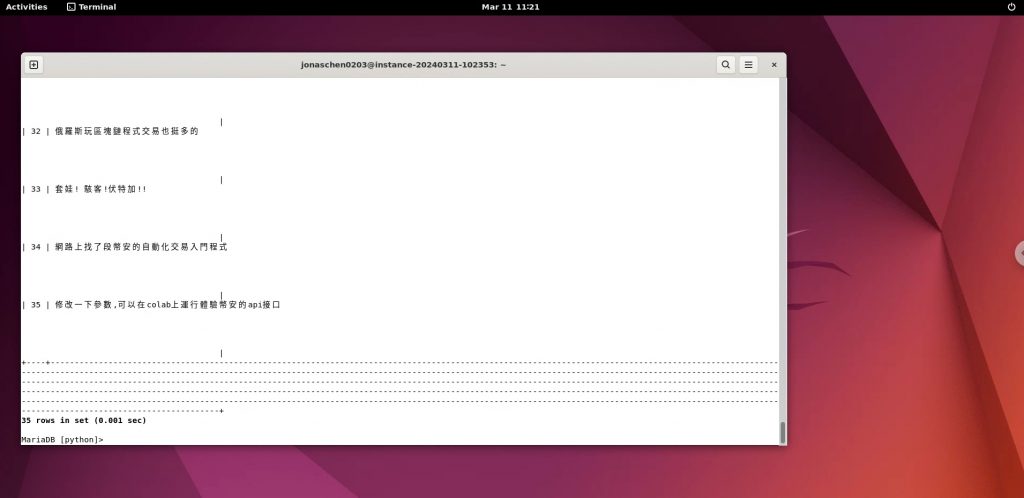
畫面04-貼文寫入資料庫