結合 Python 的 pandas、openpyxl 及 win32com 三大模組,提供一鍵化流程,可自動篩選 Excel 巨量資料、匯出指定結果,並在匯出時套用密碼保護,全方位兼顧效率與安全性。
採用 pandas 優化讀寫流程,有效處理百萬筆以上資料行列。
openpyxl 無縫生成與操作 .xlsx 工作簿,並能設定檔案保護層級;結合 win32com 透過 COM 介面一鍵加密,實現真正的文件安全。
環境需求
1.Windows 11
2.Python 3.12.7 64-bit
3.Qt 5.15.2
4.PyQt5 5.15.10
5.Spyder IDE 5.5.1
功能
1.自動化資料篩選:利用 pandas 高效 DataFrame 操作,依條件快速過濾數十萬至百萬筆資料,並一次性匯出至新檔案。
2.一鍵式密碼保護:openpyxl 提供基礎工作簿保護設定,可透過 wb.security.workbookPassword 一行程式碼鎖定結構與修訂歷程。進階時結合 win32com 調用 Excel COM 介面,完成檔案級加密,確保他人無法開啟或修改。
3.處理巨量資料:透過 pd.read_excel(usecols=…, dtype=…) 等參數最佳化讀取,顯著降低記憶體與時間成本。必要時可結合 Dask 或其他分散式框架,延展至億級資料處理,保持高效穩定。
4.無縫模組整合:pandas作為資料處理核心,openpyxl負責純Python的檔案生成與修改,win32com 則無縫完成加密流程,從閱讀到保護一氣呵成,並簡化部署步驟。
執行步驟:
- 下載安裝所需套件
pip install pandas
pip install openpyxl
pip install pywin32
如果您使用的是Python3.4或更高版本,pywin32套件包含了win32com.client模組。- 驗證安裝
import pandas as pd
import openpyxl
import win32com.client
print("模組載入成功")
在Spyder的IPython Console驗證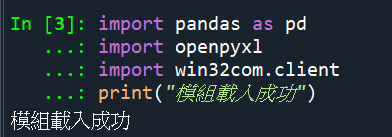
- 程式碼
# -*- coding: utf-8 -*-
"""
Created on Thu May  1 15:34:39 2025

@author: JONAS
"""
import pandas as pd
from openpyxl import Workbook
from openpyxl.utils.dataframe import dataframe_to_rows
import win32com.client as win32
import os
import time

# 定義檔案名稱
input_file = 'C:\\Users\\au1983\\Downloads\\202503月-A計畫異常登入表.xlsx'

# 定義篩選條件
filter_conditions = [
    {'column1': '產業ABC系統', 'column2': 'A單位', 'output_file': '產業ABC系統_A單位_filtered.xlsx'},
    {'column1': '產業ABC系統', 'column2': 'B單位', 'output_file': '產業ABC系統_B單位_filtered.xlsx'},
    {'column1': '產業ABC系統', 'column2': 'C單位', 'output_file': '產業ABC系統_C單位_filtered.xlsx'},
    {'column1': '產業ABC系統', 'column2': 'D單位', 'output_file': '產業ABC系統_D單位_filtered.xlsx'},
    {'column1': '產業ABC系統', 'column2': 'E單位', 'output_file': '產業ABC系統_E單位_filtered.xlsx'},
    {'column1': '產業ABC系統', 'column2': 'F單位', 'output_file': '產業ABC系統_F單位_filtered.xlsx'}]

# 讀取Excel檔案
df = pd.read_excel(input_file)

# 迴圈處理每組篩選條件
for condition in filter_conditions:
    column1_value = condition['column1']
    column2_value = condition['column2']
    output_file = condition['output_file']

    # 篩選同時符合兩個欄位條件的資料
    filtered_df = df[(df['系統別'] == column1_value) & (df['分署別'] == column2_value)]

    # 如果有篩選到資料,則生成Excel檔案
    if not filtered_df.empty:
        # 將篩選後的資料寫入新的Excel檔案
        wb = Workbook()
        ws = wb.active
        for r in dataframe_to_rows(filtered_df, index=False, header=True):
            ws.append(r)

        # 儲存檔案
        wb.save(output_file)

        # 確保文件已經被寫入磁碟
        time.sleep(1)

        # 使用win32com對Excel文件進行加密
        excel = win32.Dispatch('Excel.Application')
        full_path = os.path.abspath(output_file)
        wb = excel.Workbooks.Open(full_path)
        wb.Password = 'RS6W@##+$xM8qb?a'
        wb.SaveAs(full_path, Password='RS6W@##+$xM8qb?a')
        wb.Close()
        excel.Quit()

        print(f'Processed and saved: {output_file}')
    else:
        print(f'No data found for condition: {column1_value} and {column2_value}')
成果截圖:
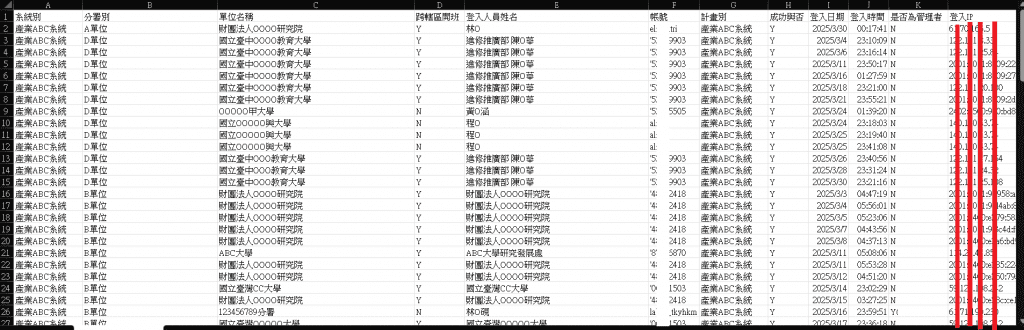
畫面01-匯入範例資料
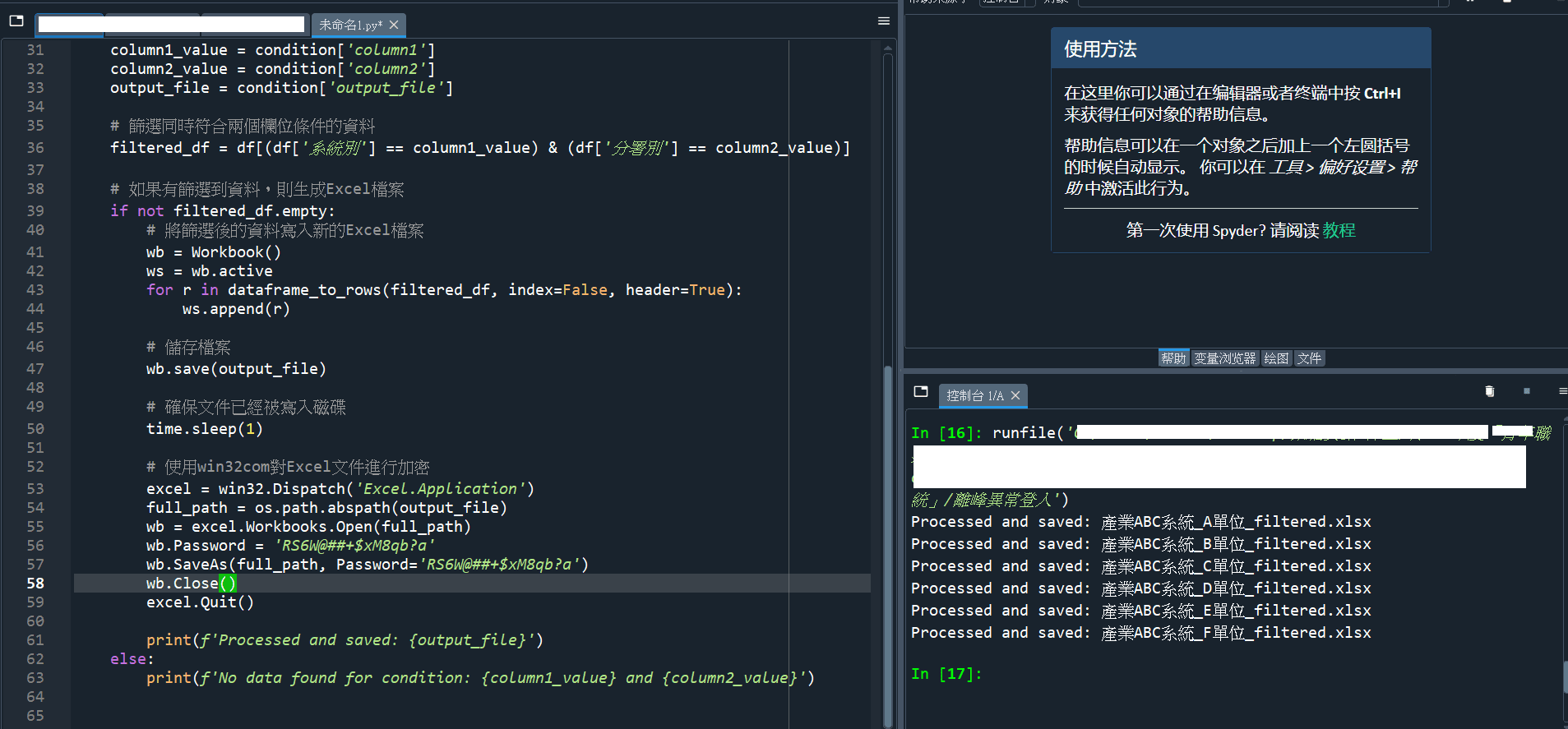
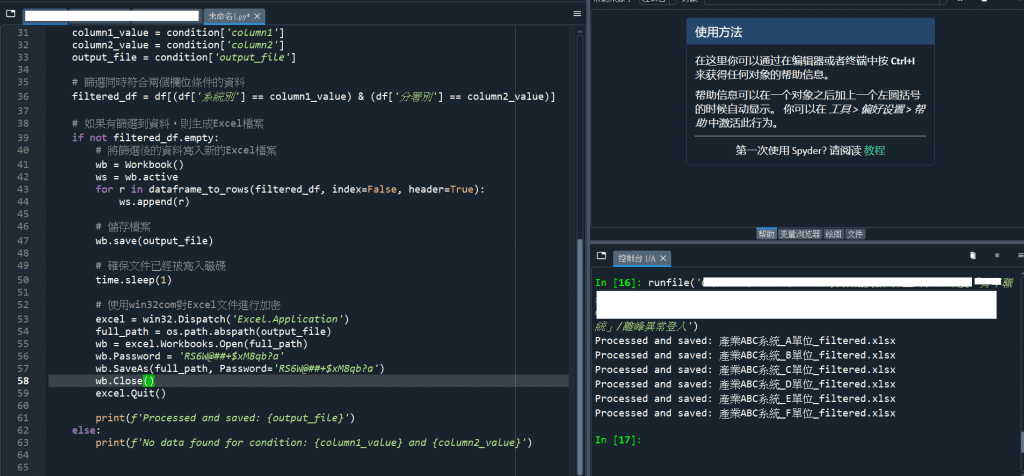
畫面02-Spyder執行成功畫面
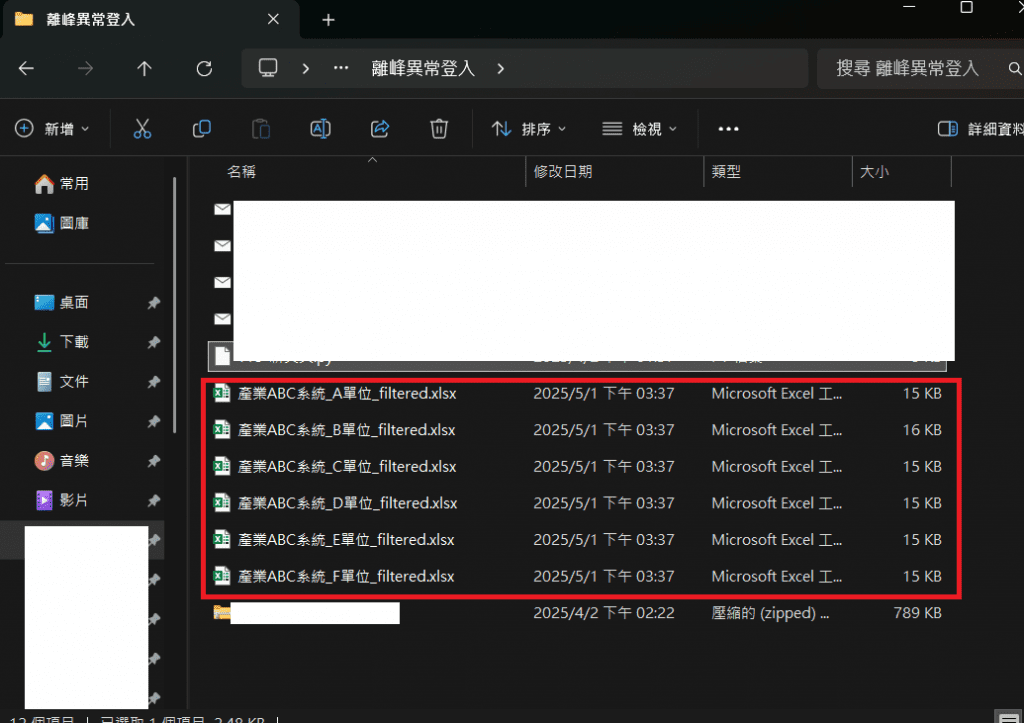
畫面03-Python執行後依照篩選類別產出5個單位檔案
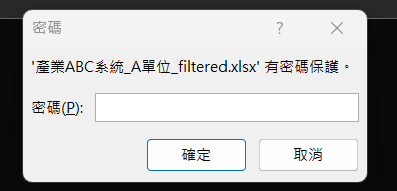
畫面04-Excel檔案加密(以A單位篩選檔案為範例)
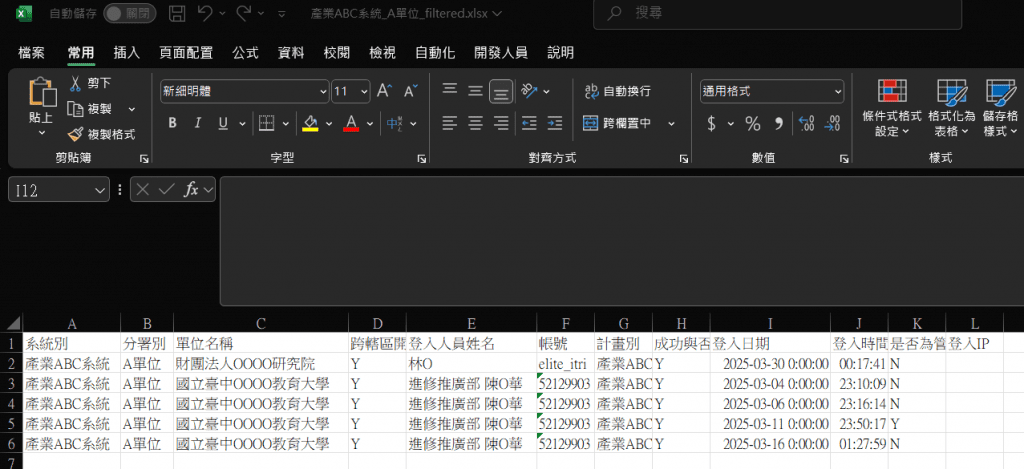
畫面05-A單位Excel篩選結果畫面(以A單位篩選檔案為範例)